⚡
SIKAT PINOY iCLOUD BYPASS
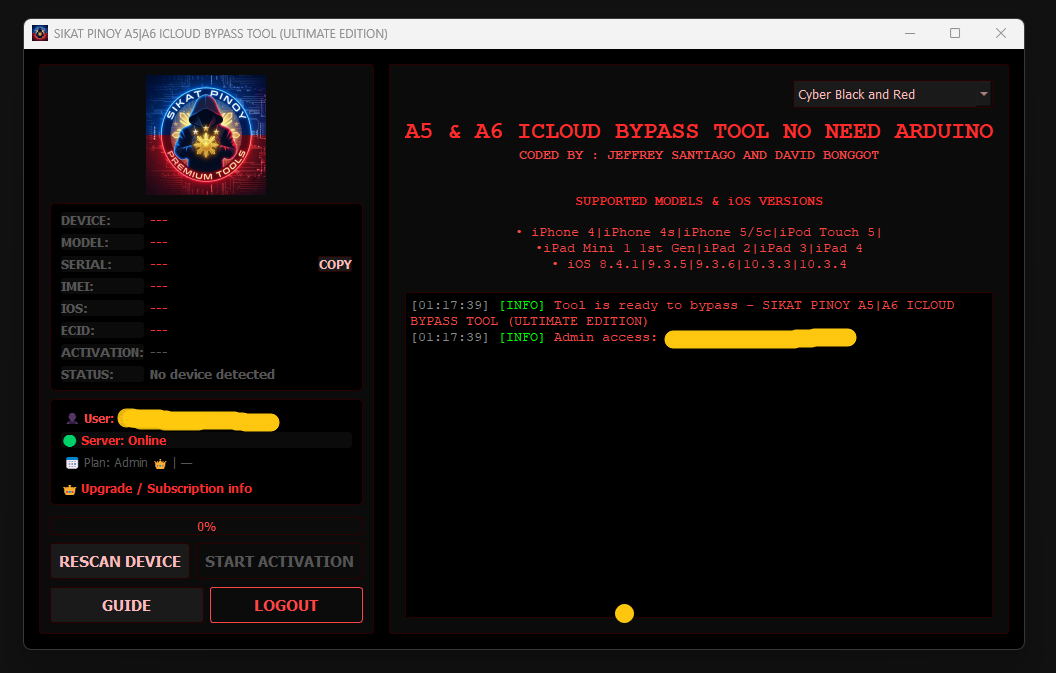
The premium utility to bypass Hello screen lock for older Apple A5 & A6 hardware architectures natively.
Download Tool Installer (Pro)
SikatPinoy_A5A6_Pro_Setup.exe (Windows 64-Bit Edition) v 2.0
📱 Supported Devices & iOS
- Supported iPhones iPhone 4, 4s, 5, 5c
- Supported iPads iPad 2, iPad 3, iPad 4, Mini 1
- Supported iPods iPod Touch 5th Generation
- Compatible iOS iOS 8.4.1 | 9.3.5 | 9.3.6
- Prerequisites 3uTools Installed (for drivers)
📋 Step-by-Step Guide
- Flash the Apple device using 3uTools via **Quick Flash Mode** to ensure clean system state.
- On startup (Hello screen), connect the device to your Local **Wi-Fi connection**.
- Open the **Sikat Pinoy iCloud Bypass Tool** on your PC and plug in the device.
- Wait for device identification, then click **START ACTIVATION** to initiate the script.
- Keep the device plugged in. Once successful, it will restart activated and ready!