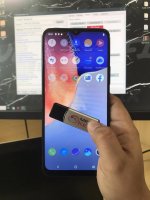
1. Hard Reset if my PASSCODE or PATTERN
2. Check through of what chipset they are using..
3. Turn off your phone..
4. Select Qualcom..
5. Select Automatic..
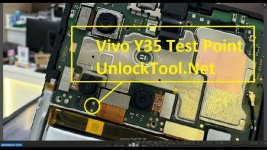
6. Locate the TEST POINT..
7. Remove Batt Connector..
8. Insert Cable, then short 2 TEST POINT..
9. After DETECTION, reinsert Batt Connector..
10 Done..
2. Check through of what chipset they are using..
3. Turn off your phone..
4. Select Qualcom..
5. Select Automatic..
6. Locate the TEST POINT..
7. Remove Batt Connector..
8. Insert Cable, then short 2 TEST POINT..
9. After DETECTION, reinsert Batt Connector..
10 Done..